AI Jesus SMS Opt-In Workflow
Last updated: August 22, 2026
AI Jesus sends SMS messages only to users who explicitly opt in through the phone number form inside the AI Jesus chat widget on praywithjesus.ai. The program sends marketing messages, including promotions and updates, alongside account and service messages.
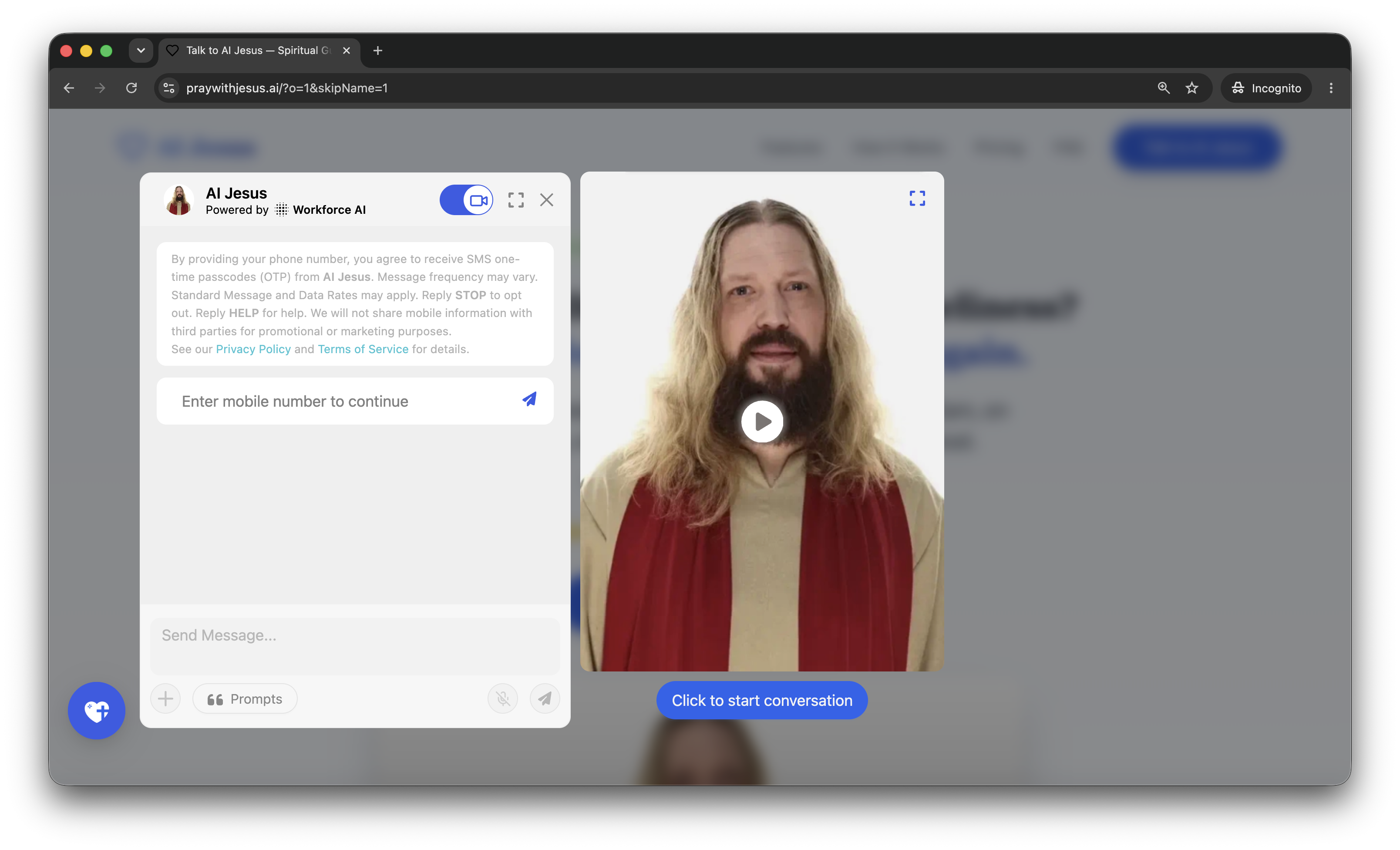
Call to action shown at the point of consent
This is the exact consent language displayed directly above the phone number field, before the user submits a number. Disclosure version pwj-sms-marketing-v1-2026-07-30.
By providing your number, you agree to receive inspirational and marketing SMS messages from AI Jesus, including promotions and updates. Message frequency varies. Msg & data rates may apply. Reply HELP for help. Reply STOP to cancel. See our Privacy Policy (https://praywithjesus.ai/privacy-policy) and Terms of Service (https://praywithjesus.ai/terms-of-service) for details.
How users opt in
- The user opens the AI Jesus chat widget on praywithjesus.ai.
- The assistant asks the user for their name.
- After the name is entered, the assistant shows the phone number field together with the consent language quoted above, which names marketing messages, promotions, and updates.
- The user reads the consent language and enters their phone number.
- By submitting their phone number, the user affirmatively consents to receive the marketing and service SMS messages described in that consent language.
- AI Jesus sends the user an SMS one-time passcode (OTP) to confirm their identity and complete sign-in. After opting in, the user also receives the inspirational, service, and marketing messages described in the consent language.
Consent to receive marketing messages is never a condition of buying anything. A user who does not want SMS can use the product through the website without giving a number for marketing.
Opt-in workflow screenshot
Message types
- Marketing: promotions, offers, and product updates.
- Inspirational: scripture, prayers, and reflections.
- Service: one-time passcodes and account notices.
Keywords
- Text START to opt in again after opting out.
- Reply STOP or UNSUBSCRIBE to opt out. No further messages are sent.
- Reply HELP for help.
SMS disclosures
- Marketing messages are sent to users who opt in.
- Message and data rates may apply.
- Message frequency may vary.
- We will not share mobile information with third parties for promotional or marketing purposes. That is separate from the marketing messages we send you ourselves after you opt in.
AI-generated reflection. Verify important answers and involve trusted people.